
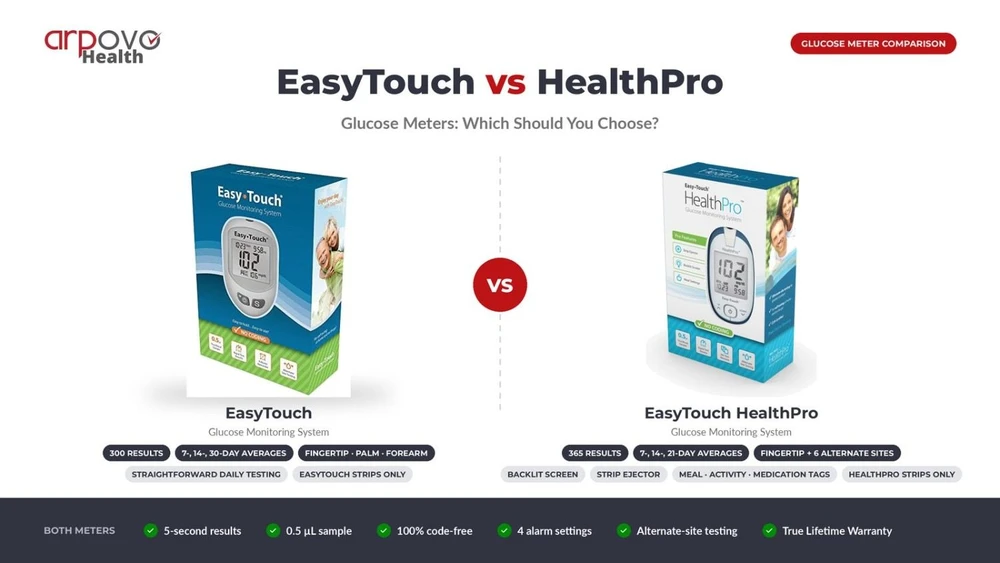
EasyTouch vs HealthPro Glucose Meters: Which Should You Choose?
Oct 23rd 2026
Your choice between the EasyTouch and HealthPro glucose meters depends mainly on your testing needs. Both deliver results in five seconds, require 0.5 µL of blood, and don't require manual coding. Choose standard EasyTouch for straightforward daily testing. Consider HealthPro if you want more memory, additional testing sites, a backlit screen, or activity, meal, and medication tagging.
What They Have in Common
Both meters offer the same basic testing experience, making either suitable for routine glucose monitoring. Each requires a small blood sample and delivers results in five seconds. Neither requires manual coding when you insert a compatible test strip.
Both models also provide four alarm settings, alternate-site testing, and a True Lifetime Warranty. Their shared specifications do not establish that either meter is more accurate. Instead, consider which features best fit your routine.
The standard EasyTouch supports fingertip, palm, and forearm testing. HealthPro provides more alternate-site options for eligible users. These differences matter when convenience and testing flexibility influence your choice.
What HealthPro Adds
HealthPro includes several features that the standard EasyTouch does not list in its manufacturer specifications.
First, HealthPro stores 365 readings, compared with 300 on standard EasyTouch. This gives frequent testers more results to review before older readings disappear.
Second, HealthPro calculates 7-, 14-, and 21-day averages. Standard EasyTouch calculates 7-, 14-, and 30-day averages. Neither averaging schedule is automatically better for every user.
HealthPro also supports fingertip testing plus six alternate sites: ventral palm, dorsal hand, forearm, upper arm, thigh, and calf. Its user-condition tagging records meal, activity, and medication context alongside readings. Additionally, a backlit screen helps with viewing in dim light. A strip ejector allows you to remove used strips without pulling them out by hand. The HealthPro manual also states the meter is intended for use by a single person and should not be shared. For complete details, see the manufacturer's HealthPro product page and its standard EasyTouch product page.
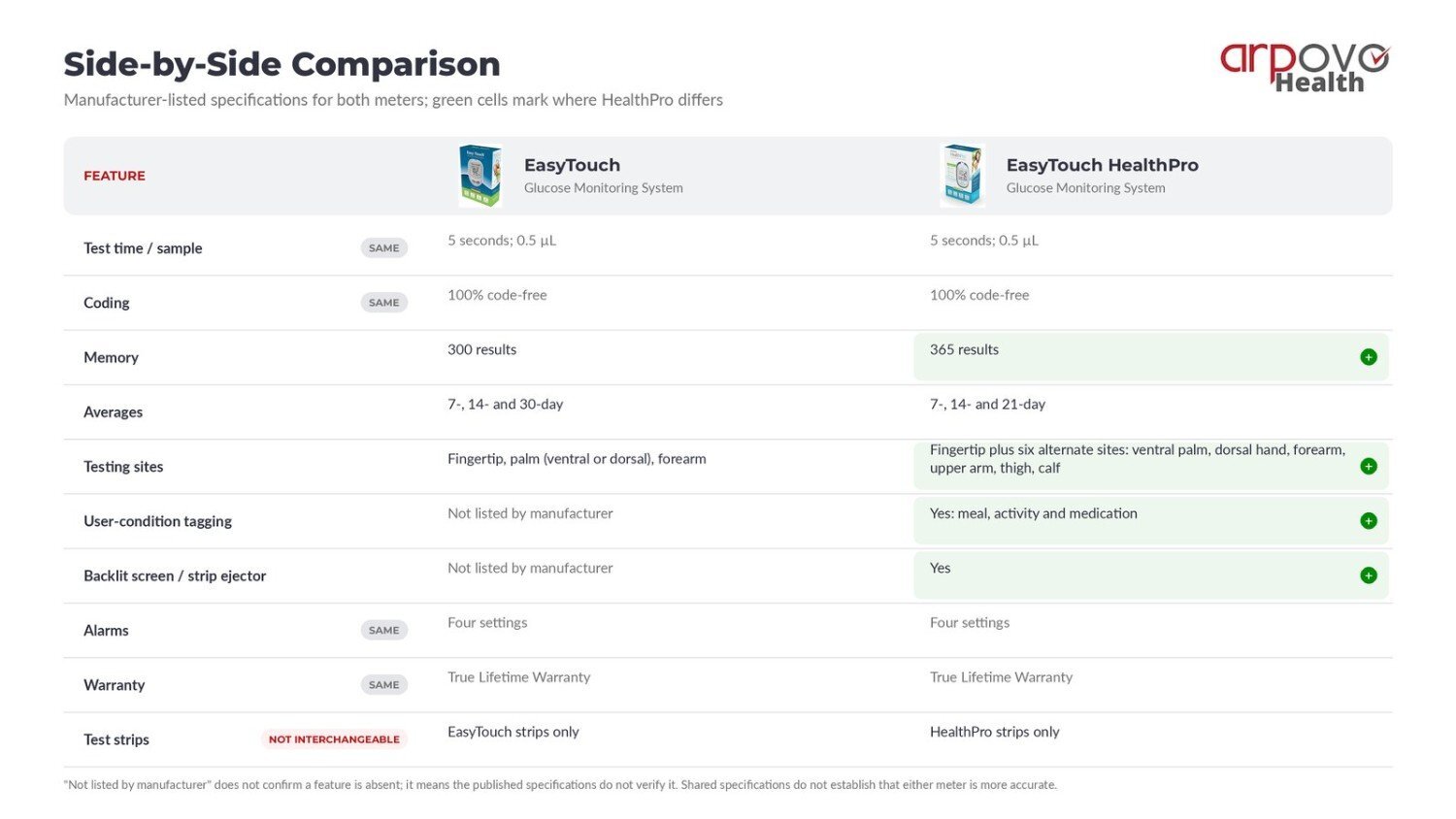
Side-by-Side Comparison
This EasyTouch glucose meter comparison highlights the main differences before you buy.
|
Feature |
EasyTouch Glucose Monitoring System |
EasyTouch HealthPro |
|
Test time/sample |
5 seconds; 0.5 µL |
5 seconds; 0.5 µL |
|
Coding |
100% code-free |
100% code-free |
|
Memory |
300 results |
365 results |
|
Averages |
7-, 14-, and 30-day |
7-, 14-, and 21-day |
|
Testing sites |
Fingertip, palm (ventral or dorsal), forearm |
Fingertip plus six alternate sites: ventral palm, dorsal hand, forearm, upper arm, thigh, calf |
|
User-condition tagging |
Not listed by manufacturer |
Yes |
|
Backlit screen/strip ejector |
Not listed by manufacturer |
Yes |
|
Alarms |
Four settings |
Four settings |
|
Warranty |
True Lifetime Warranty |
True Lifetime Warranty |
|
Test strips |
EasyTouch strips only |
HealthPro strips only |
Note: "Not listed by manufacturer" does not confirm that a feature is absent. It means the published specifications do not verify it.
A Note on Alternate Site Testing
Alternate-site readings can differ from fingertip readings, especially after eating, exercising, or taking insulin. Your glucose level may change before alternate-site readings reflect that change.
Ask your healthcare provider whether alternate-site testing suits your situation. The manufacturer recommends alternate-site testing only when glucose is steady, such as before meals and at bedtime. Never use alternate-site meter readings to calibrate a continuous glucose monitor (CGM).
Don't Forget the Strips
Each meter requires its own compatible test strips. EasyTouch strips and HealthPro strips are not interchangeable. Always match the strip packaging to your exact meter model.
Your ongoing costs include both the meter and replacement strips. Therefore, compare strip prices, pack sizes, and availability before deciding.
Shop EasyTouch glucose test strips or HealthPro glucose test strips. For more purchasing guidance, read the Glucose Test Strip Buyer's Guide.
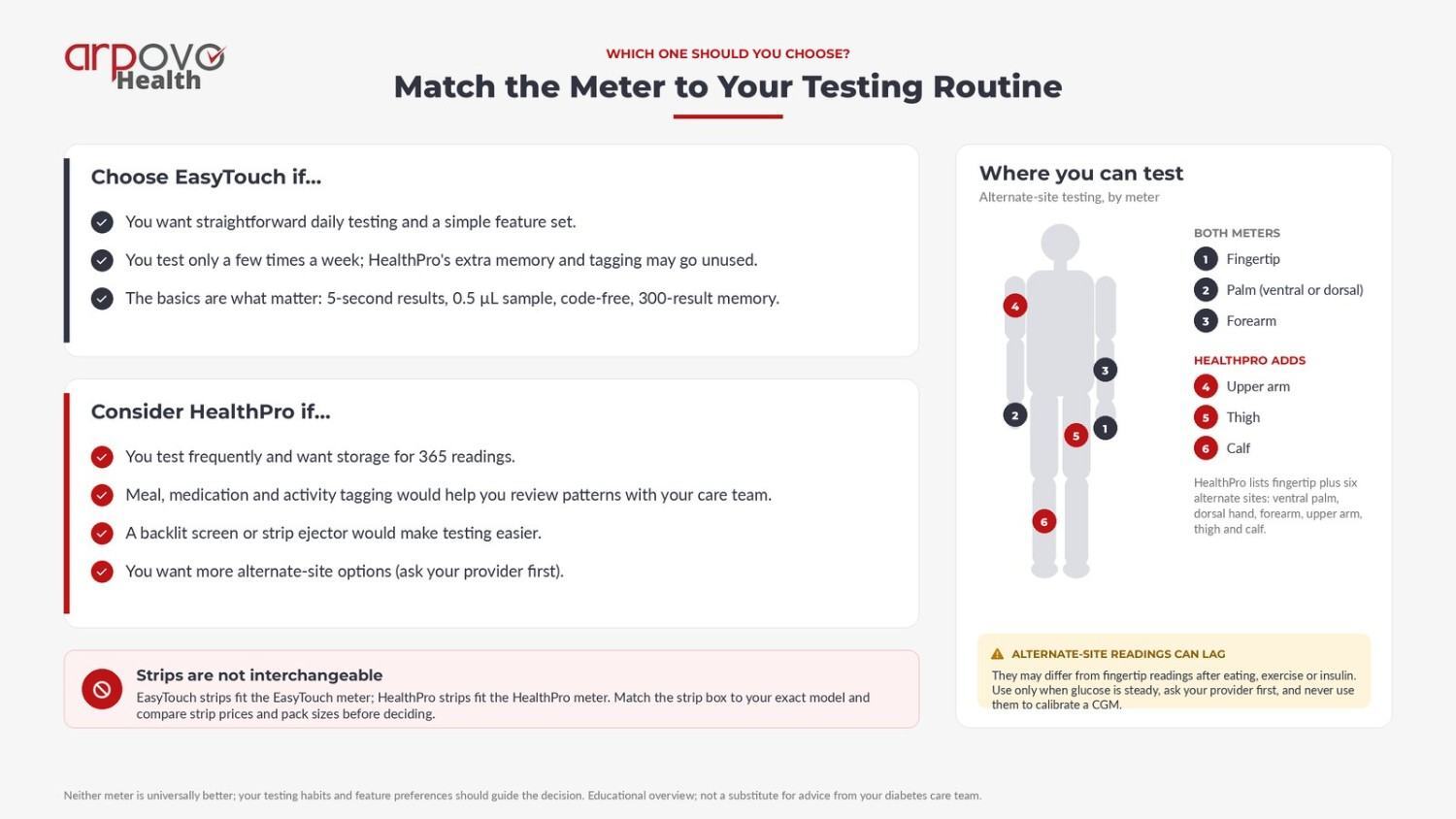
Which One Should You Choose?
Neither meter is universally better. Your testing habits and feature preferences should guide the decision.
- Choose EasyTouch for straightforward testing and a simple feature set. If you test only a few times a week, HealthPro's extra memory and tagging may go unused.
- Consider HealthPro if you test frequently and want storage for 365 readings.
- Consider HealthPro if meal, medication, and activity tagging helps you review patterns with your care team.
- Consider HealthPro if a backlit screen or strip ejector would make testing easier.
Before ordering, compare the meter price with the cost of its compatible strips. Explore the EasyTouch Glucose Monitoring System and EasyTouch HealthPro Glucose Monitoring System to review their listed features.
Shop Diagnostic Supplies
Choose the meter that fits your testing routine, then check its matching strips before ordering. Browse Arpovo Health's Diagnostic Instruments and Supplies for glucose meters and related testing supplies.
Frequently Asked Questions
Can I use HealthPro test strips in an EasyTouch meter?
No. Each meter uses its own strips. EasyTouch strips fit the EasyTouch Glucose Monitoring System, while HealthPro strips fit the HealthPro meter.
Is the HealthPro more accurate than the EasyTouch?
The manufacturer lists the same five-second test time and 0.5 µL sample for both. It does not establish that either model is more accurate; HealthPro mainly adds features.
How many results does each meter store?
EasyTouch stores 300 results, while HealthPro stores 365. Both retain recent readings for later review.
Where can I test besides my fingertip?
Standard EasyTouch supports palm and forearm testing. HealthPro adds the ventral palm, dorsal hand, forearm, upper arm, thigh, and calf. Ask your provider first because alternate-site readings can differ from fingertip results.
Do these meters need to be coded?
No. Both meters operate without manual coding and recognize their compatible test strips automatically.
This article is for general educational purposes and isn't a substitute for advice from your doctor or diabetes care team. Talk to your healthcare provider about which meter and testing sites are right for you.